
Six customer-facing updates reached Zero this week. You can navigate a new three-column workspace UI, start from a larger template library, search chats, messages, workflows, and artifacts, install Zero in Microsoft Teams, choose a usage package for each member, and research public social data with SocialKit.
Start from new presentation and website templates
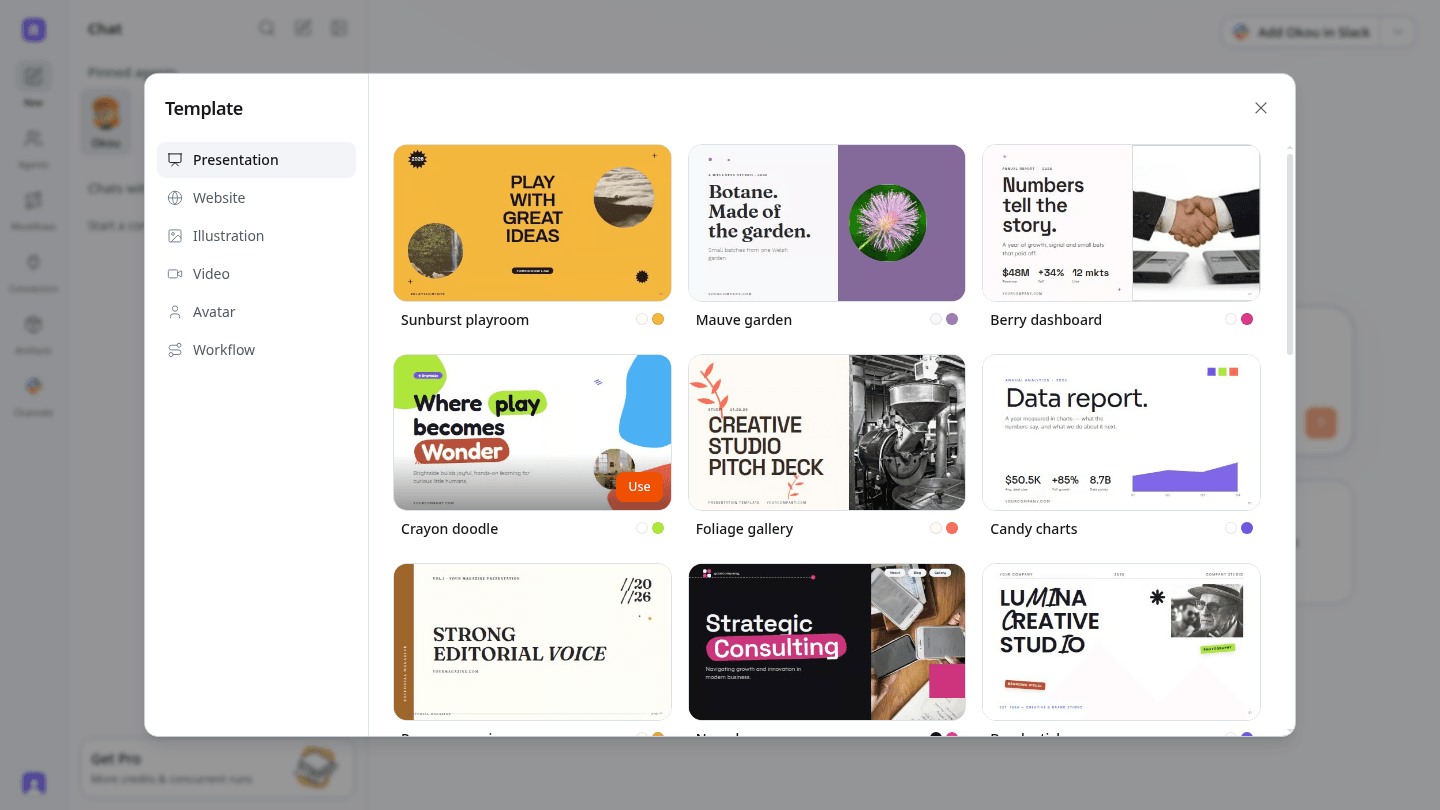
The template library now gives you more starting points for presentations and websites. Open Template from the composer, choose a format, preview the available designs, and select one before describing what you want to make.
The expanded library covers a wider range of visual styles, from editorial decks and dashboards to campaign pages and portfolio layouts.
Search chats, messages, workflows, and artifacts
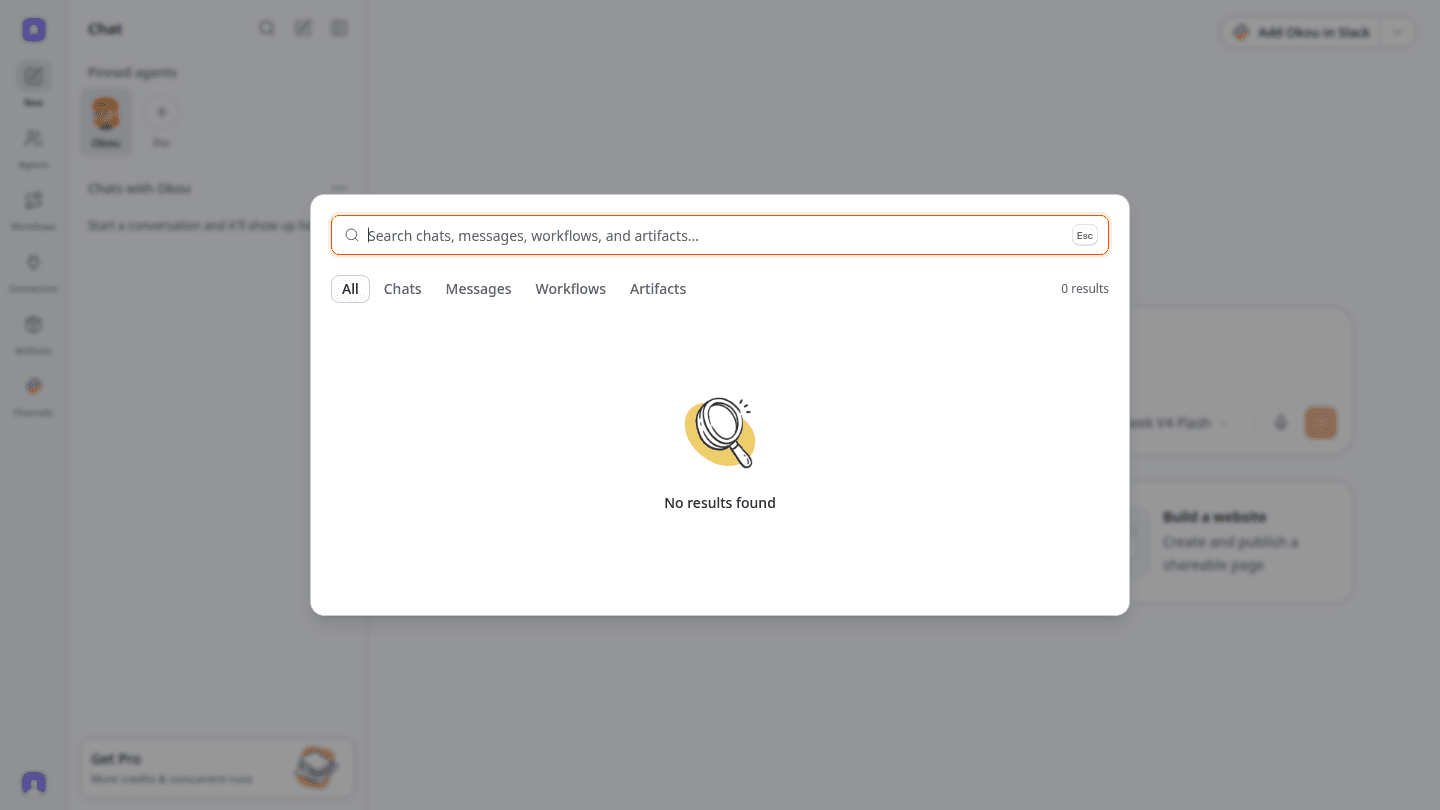
Workspace search now covers more than conversations. A single Spotlight-style panel lets you search across chats, individual messages, workflows, and artifacts, with tabs for narrowing the results.
Use the search button in the chat column whenever you need to reopen a past result or jump directly to the workflow that produced it.
Navigate with the new three-column workspace UI
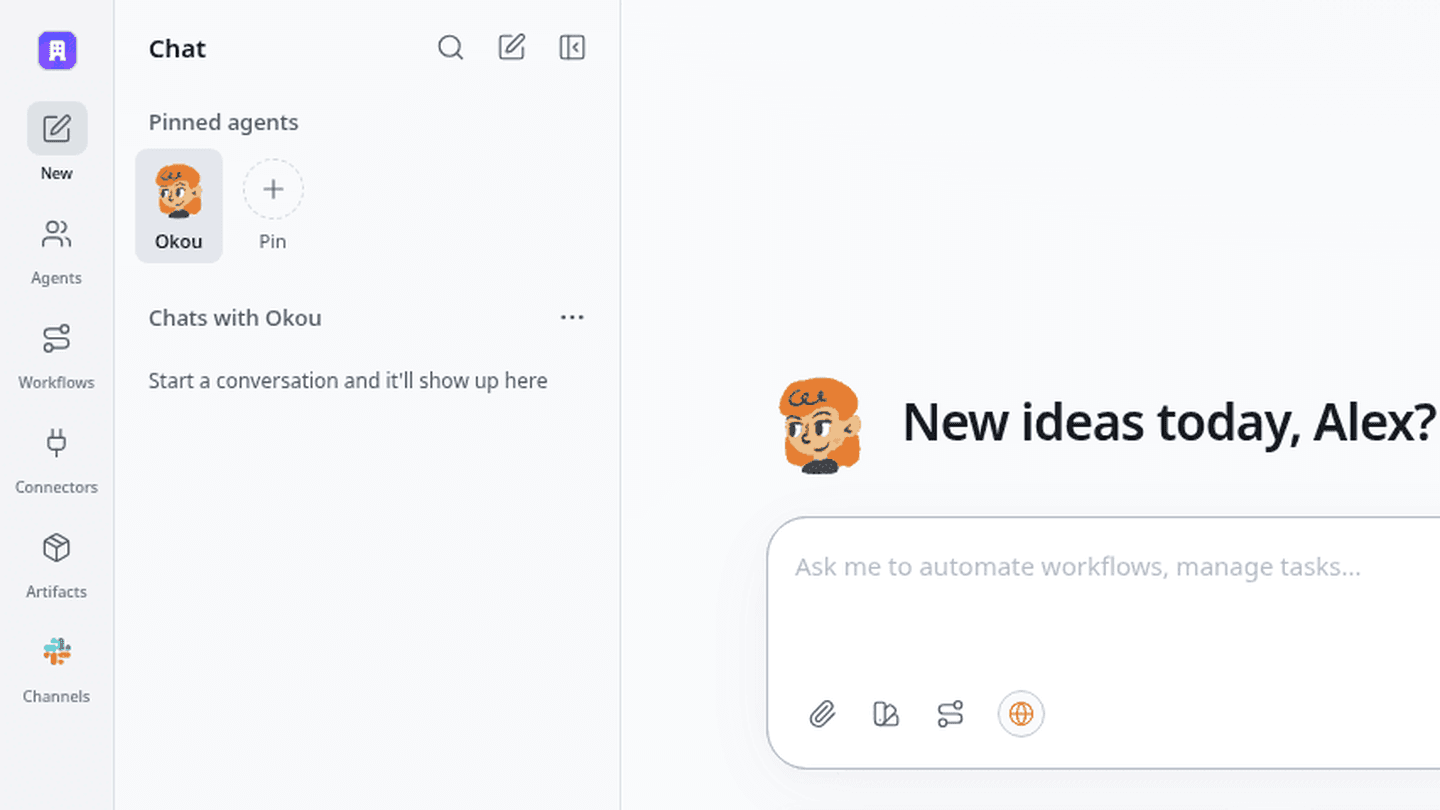
Zero now organizes the workspace into three clear columns: global navigation on the left, pinned agents and chat history in the middle, and your active work area on the right.
The layout keeps the current conversation visible while agents, workflows, connectors, artifacts, and channels remain one click away.
Use Zero inside Microsoft Teams
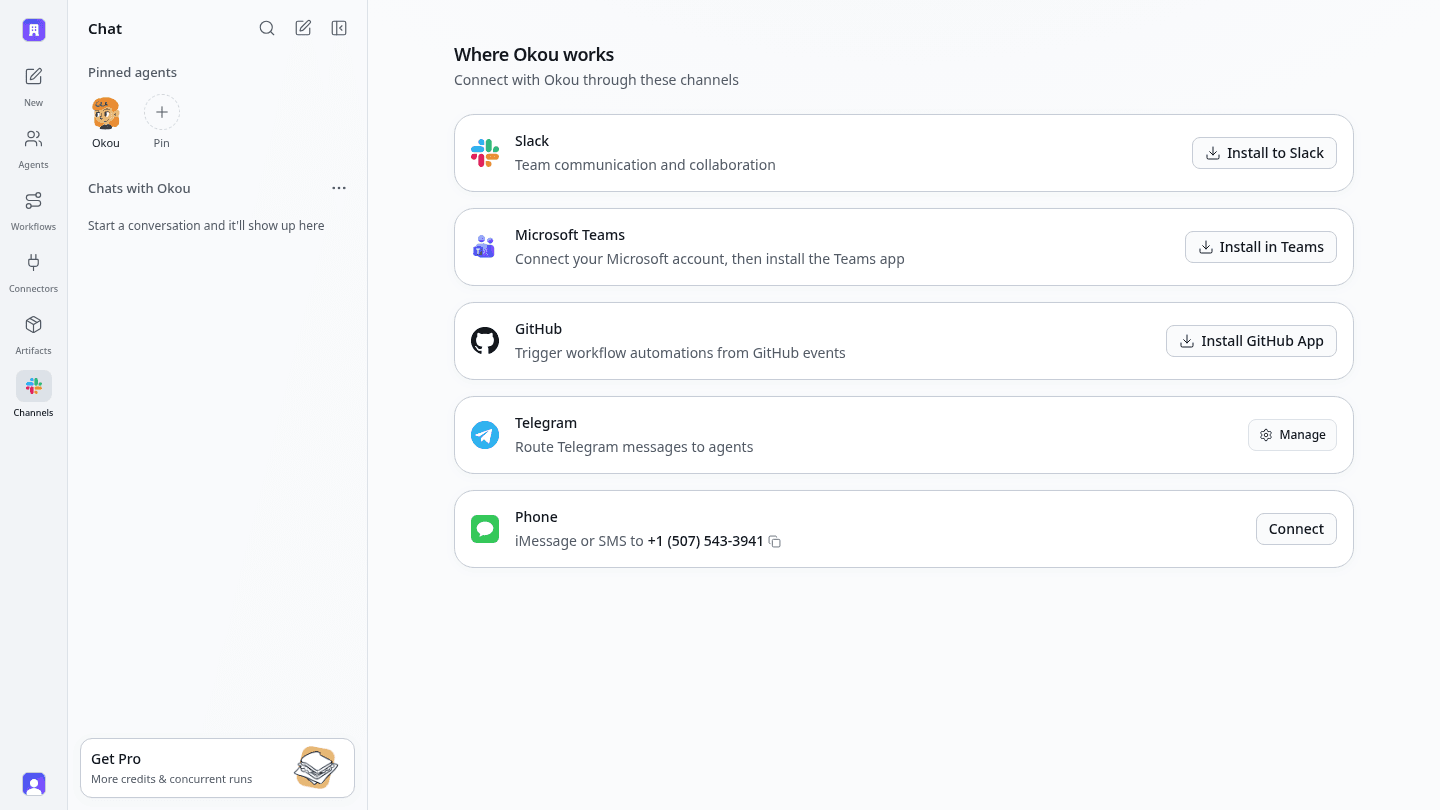
Zero now has a dedicated Microsoft Teams install path. Open Channels, connect your Microsoft account, and install the Teams app alongside the existing Slack, GitHub, Telegram, and phone options.
This is the standalone Teams app release, not a repeat of the connector availability announced in an earlier edition.
Choose a member package for each seat
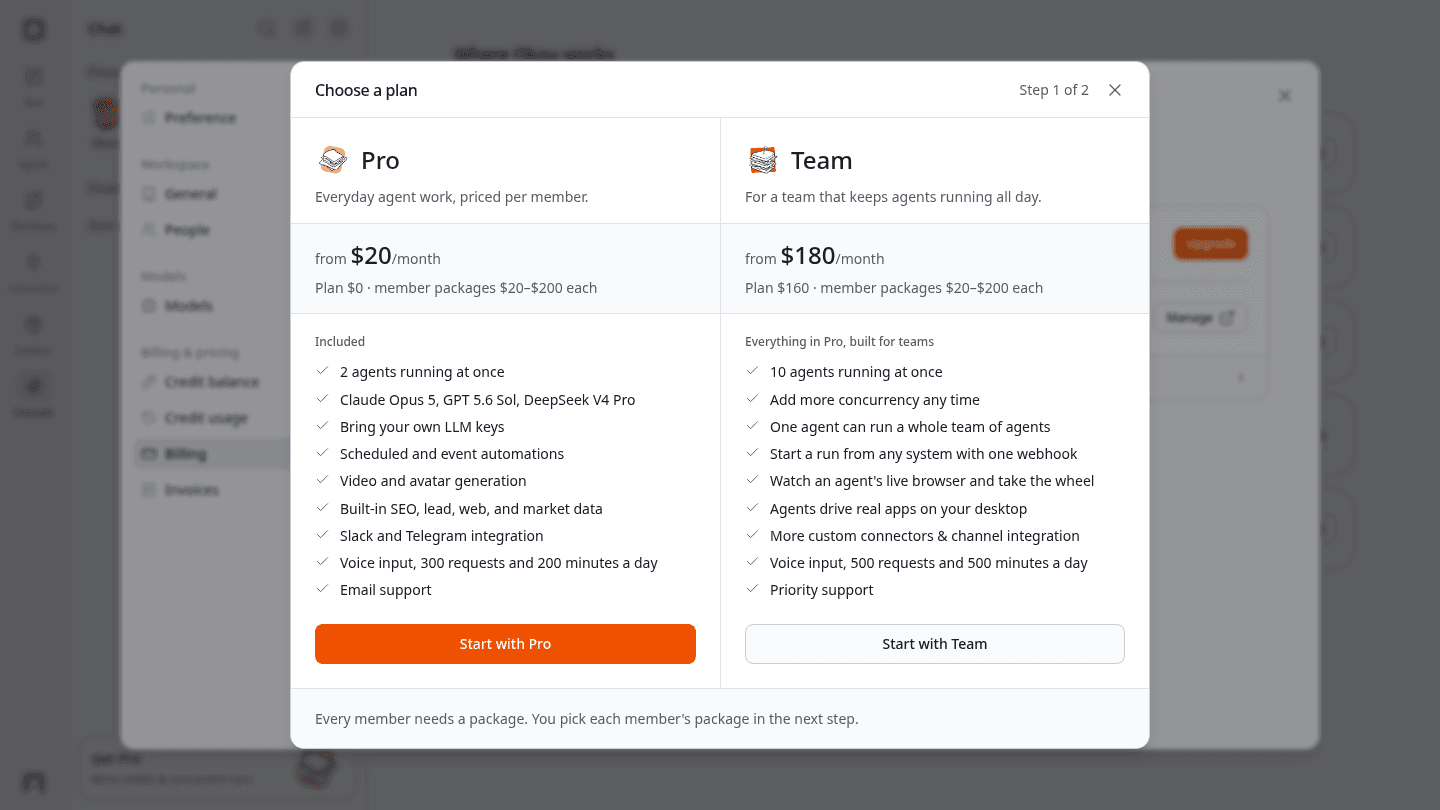
Pro and Team plans now separate the workspace plan from each member’s usage package. Packages range from $20 to $200 per member, so a team can give heavier users more capacity without applying the same package to everyone.
The plan comparison also makes concurrency and included capabilities easier to review before upgrading. Pro starts with two agents running at once, while Team starts with ten and supports additional concurrency.
Research public social data with SocialKit
Zero can now use SocialKit to search and analyze public data from YouTube, TikTok, Instagram, Facebook, X, and LinkedIn. Ask it to compare engagement, inspect comments, read profiles and posts, or pull transcripts and summaries without collecting the data by hand.
SocialKit data tools are now available to regular agent runs by default. Media downloads remain a separate action, so data-only research stays focused on analysis and source links.
From the blog
Last week, we published six new reads:
- The Best Travel Plan Is the One That Can Change — How we used AI to replan routes, handle emergencies, help children learn, and make a family trip through Norway and Iceland more comfortable.
- My AI Product Design Workflow Without Figma — A real AI product design workflow using ui-design, ui-implement, and ui-walkthrough to explore nine directions, build one, and review it with Agent Browser.
- AI Agents Explained for Non-Developers: OpenClaw, Hermes, Claude Code, Codex, Manus, and More — A plain-English guide to OpenClaw, Hermes Agent, Claude Code, Codex, Manus, Lindy, Viktor, and VM0, including who each AI agent is built for.
- AI Team Collaboration Breaks at the Handoff — Why AI team collaboration breaks when context gets lost between people and tools, and how Zero preserves intent through agents, workflows, and automations.
- How A2A Works in Zero: Agents, Chats, and Handoffs — How A2A in Zero coordinates agents and chats for parallel work, subagent delegation, testing, handoffs, and multi-agent workflows.
- AI Transformation Strategy: A 7-Stage Playbook for Lean Teams — A seven-stage playbook for choosing one workflow, setting ownership and failure thresholds, proving ROI, and scaling only what holds up.
That’s everything we shipped this week. Open Zero to explore the new three-column UI, templates, search, and public social research, or visit Channels to add Microsoft Teams.


